AutoTgGifts — Telegram gift auto-delivery
AutoTgGifts — a module for Playerok Universal that automates sending Telegram gifts for stars. Gifts are sent from your Telegram accounts to the buyer's @username. Rich functionality, flexible and convenient setup through the Telegram menu.
How does it work?
- The buyer orders your item in the «Звёзды» (Stars) category with the «Подарок» (Gift) delivery method and enters their @username
- The plugin finds the service the item is linked to — that's how it knows which gift to send and how many
- No username in the order — the plugin asks for it in the chat and asks to confirm the order with +/- or да/нет (yes/no)
- Before sending, it checks that your accounts have enough stars for the whole order. If not, sending won't start
- Gifts are sent one at a time. If one account fails, the next one is tried. The buyer gets a message about each gift
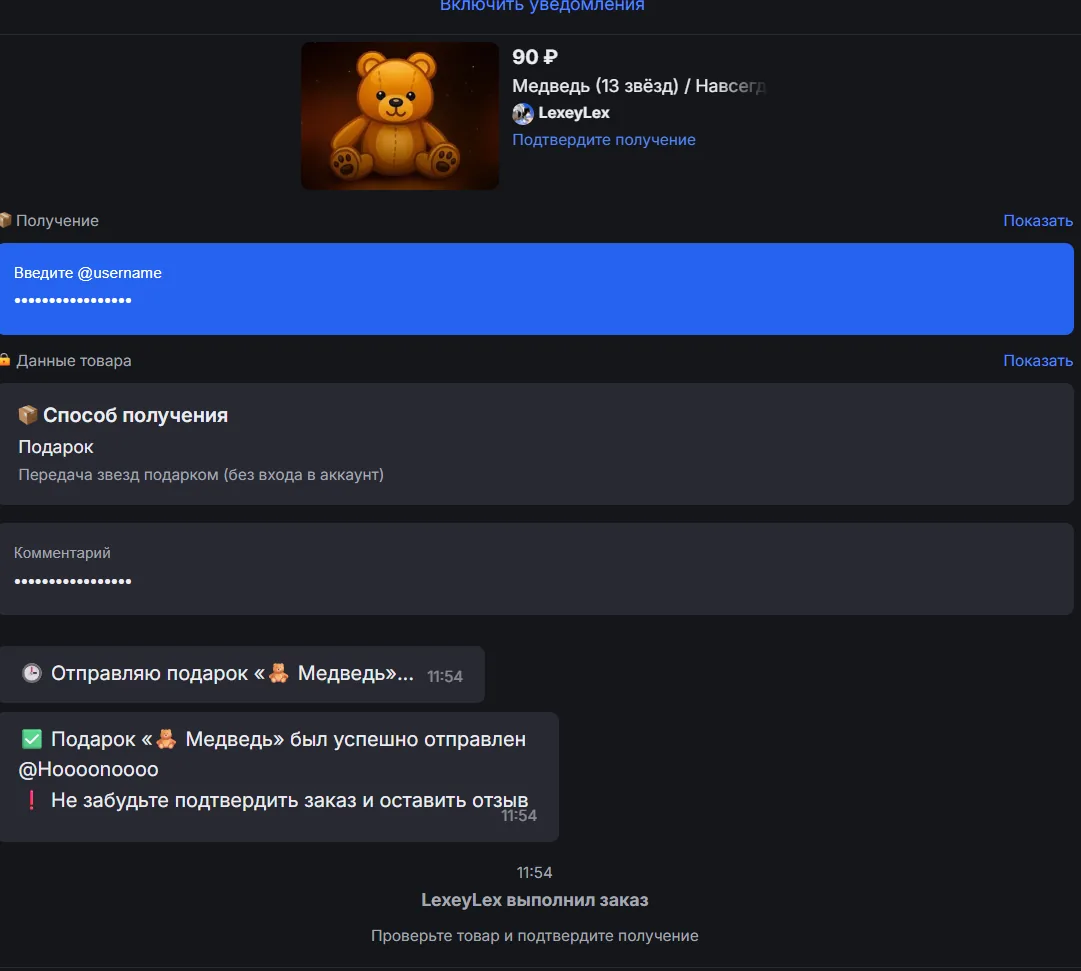
- Everything is sent — the plugin marks the order as completed on Playerok, and the buyer is asked to confirm it and leave a review
- Sending failed — the plugin refunds the order and messages you in Telegram. If auto-refund is off, it asks the buyer for their @username again
What do you need?
- Telegram accounts with stars — gifts are bought with stars from your accounts' balance
- Api ID and Api Hash from my.telegram.org — without them the plugin can't log in to the accounts or process an order
- An item in the «Звёзды» (Stars) category with the «Подарок» (Gift) delivery method — the plugin only picks up such orders, and only for items linked to services
Features
- 💝 Sending gifts for stars — from your Telegram accounts
- How many gifts to send per order is set in the service
- Hiding the sender's name — visitors to the recipient's profile won't see your name
- Your own text with the gift, or no text at all
- Everything is sent — the order is marked as completed on Playerok
- 👤 Several sender accounts
- Adding by phone number: the code from Telegram and the cloud password, if one is set
- Or with ready-made sessions: a
.sessionfile or a.zip/.rararchive with several - The list shows the username and star balance of every account
- An account couldn't send a gift — the plugin tries the next one
- An account's session isn't authorized — you get a notification, and the plugin skips that account
- If a proxy for Telegram is set in the bot settings, the accounts connect through it
- 🎁 Your own gift list
- 11 gifts are already added: from 💖 Heart and 🧸 Bear for 15⭐ to 🏆 Trophy, 💍 Ring and 💎 Diamond for 100⭐
- Any other gift — by its ID, with your own name and price (from 15⭐)
- A gift linked to services can't be deleted by mistake
- 📃 Services — which gift and how many to send for which item
- Added by a Playerok item link
- Several items per service — one link per line or as a
.txtfile - The gift and the quantity can be changed in a couple of clicks
- ⭐ Low star balance — can be turned on
- The plugin keeps track of the star balance on every account
- Drops below the threshold (100⭐ by default) — you get a notification
- One notification until the balance recovers
- ↩️ Automatic refund — can be turned off
- Couldn't send a gift — the refund is issued automatically
- Turned off — the plugin asks the buyer for their @username again and to confirm the order
- 📢 Notifying buyers
- Buyers who received their gifts but didn't confirm the order
- On a schedule (once a day by default) or with a button
- 🔔 Telegram notifications
- Not enough stars on the accounts for an order
- Couldn't send a gift
- Order not processed: Api ID and Api Hash aren't set, there are no accounts, or the service is linked to a gift that doesn't exist
- Low star balance on an account
- Account not authorized
- 💬 Messages to the buyer
- 8 messages — for every order stage
- Any of them can be edited or turned off
- 📊 Statistics
- For a day, a week, a month and all time
- Orders: total, completed, refunded, amount
- Gifts sent and the best-selling item
Managing in Telegram
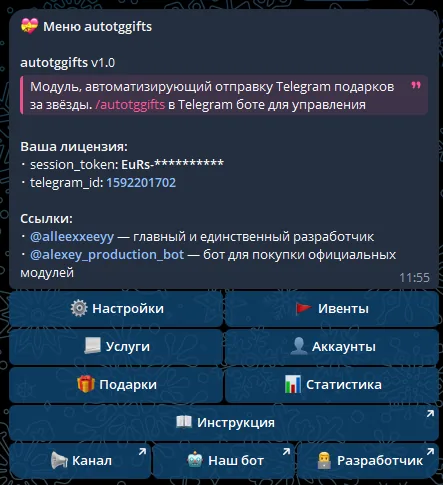
The plugin is fully managed through a dedicated, convenient menu in the TG bot. A full overview of all menu sections is in the YouTube video
The bot menu is in Russian. Button names in this guide are given as they appear in the bot, with a translation in brackets
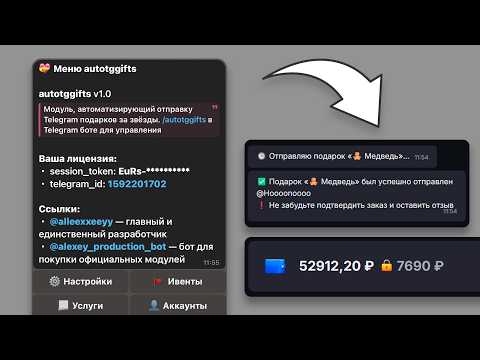
Demo
What's included?
- License
- Issued to your Telegram account
- Bound to your device
- Managed through our bot
- Plugin
- Download it in our bot
- All future updates included
- Tech support
- Help with installation
- Help with proper setup
Price: 3990 RUB / lifetime
To buy, contact — @friedfluoride
The license is lifetime only, there's no way to buy it for a limited time yet
License, refund and support terms are in the license agreement.
How to use
Once you've been issued a license, go to our bot @friedshopbot, send it the /start command, open «🔐 Мои лицензии» (My licenses) in the main menu and tap the license you bought.
The menu that opens lets you manage your license. To download the module, tap the corresponding button and the bot will send you an archive with the module inside as a folder.
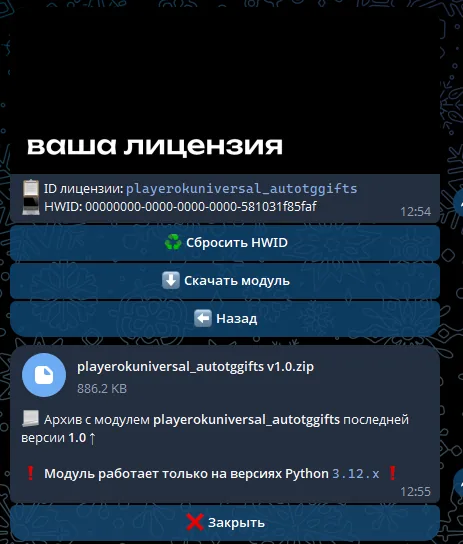
Download the Playerok Universal bot if you haven't yet, and run it. Open the main menu, go to «Модули» (Modules) and tap «Импортировать» (Import). Then send the downloaded archive to the bot.
Once the module is imported, restart the bot with the /restart command. After the restart, the /autotggifts command will appear in the Telegram bot — it opens the plugin menu.
On the first launch you'll need to bind the license to your device. Open the plugin menu and follow the link shown there to do it.
Next, to get started, enter the Api ID and Api Hash in «🔑 API Telegram» (Telegram API). Without them the plugin can't log in to the accounts, and the accounts section won't open.
How to get Api ID and Api Hash:
- Log in to my.telegram.org with any of your Telegram accounts
- Open API development tools and create an app — filling in App title and Short name is enough
- Copy api_id and api_hash from the «App configuration» block
Now add the accounts the gifts will be sent from. Go to «👤 Аккаунты» (Accounts) → «➕ Добавить» (Add). The bot will ask for:
- The account's phone number
- The code from Telegram — type it by hand instead of copying, with hyphens between the digits: if you got the code 59103, send 5-9-1-0-3. This way Telegram won't block the login
- Cloud password — if two-step verification is on for the account
If you already have account sessions, tap «➕ Добавить сессии» (Add sessions) and send a .session file or a .zip / .rar archive with several. The plugin checks each session and shows which were added and which were rejected.
Top up the star balance on the accounts — gifts are bought with stars. Each account's balance is shown in the account list.
«🎁 Подарки» (Gifts) already has 11 default gifts. Need a different one — tap «➕ Добавить» (Add) and enter the gift ID, name and price in stars. Enter the real price: the plugin uses it to check whether there are enough stars for an order.
Now create an item on Playerok in the «Звёзды» (Stars) category with the «Подарок» (Gift) delivery method and link it to a gift: «📃 Услуги» (Services) → «➕ Добавить» (Add), send the item link (for example, https://playerok.com/products/medved-podarok), pick a gift and set how many gifts to send per order. You can add several items at once — one link per line or as a .txt file.
In «🔧 Прочее» (Other) you can turn off «↩️ Авто-возврат при ошибке» (Auto-refund on error) and set up reminders for open orders. In «🔔 Уведомления» (Notifications) you can turn on low star balance alerts for the accounts and set the threshold. In «🎁 Отправка подарков» (Sending gifts) you can hide the sender's name (hidden by default) and add text to the gift.
After that the plugin will start sending gifts for new orders. This is what an order looks like after the gifts are sent: