AutoSteamGifts — Steam gift auto-sending (games/software/DLC/bundles - any content)
AutoSteamGifts — a module for Playerok Universal that automates selling and sending Steam gifts through the NS Gifts and DesslyHub services: games, software, DLC and bundles — anything in the service's catalog. All the buyer has to send is a Steam friend invite link. Rich functionality, flexible and convenient setup through the Telegram menu.
How does it work?
- The buyer pays for an item on Playerok that you've linked a gift to: a game, its edition and region
- The plugin messages them in the chat and asks for a Steam quick friend invite link. Wrong link — it asks to send it again
- It sends an order summary — product, region and link — and asks to confirm it with +/- or да/нет (yes/no). Not confirmed — it asks for the link again
- Before buying, it compares the order price with the gift's purchase price. The order is cheaper than the purchase price — it doesn't fulfill it
- It buys the gift with the balance of your NS Gifts or DesslyHub account, and the buyer gets the order number and status
- It tracks the order status. Once the gift is sent, it messages the buyer and asks them to confirm the order on Playerok
- The service returned an error — the buyer gets the reason, and you get a Telegram notification. If refunds are on, the plugin refunds the money by itself
What do you need?
- An NS Gifts or DesslyHub account with API access — the plugin buys gifts with its balance
- NS Gifts requirements
- Balance top-up from $1, USDT only — easiest via Bybit ID with no fee
- 20+ reviews on any marketplace account
- DesslyHub requirements
- Balance top-up from $100 — in USDT, or in rubles by bank transfer from a business account if you're a registered sole proprietor
- 500+ reviews on any marketplace account
What won't the plugin do?
- It doesn't change item prices on Playerok — if a price stops being profitable, you get a notification, and you change the price yourself
- It doesn't take items off sale — if the service balance runs short, the order ends with an error. To find out about it in advance, set a balance check threshold
Features
- 🎁 A gift for any item — a service links Playerok items to a Steam product
- Items are set by their links: you can link several to one service — one link per line or as a .txt file
- The Steam product is searched by name in the service's catalog, edition and region are picked from those the service has
- You can change a service's items or gift, or delete the service
- 🔄 Two services to choose from — NS Gifts and DesslyHub
- Switch with one button in «💻 API сервиса» (Service API)
- When you open the menu, the plugin checks the login to the service and tells you the reason if it fails
- 🛡️ Loss protection — can be turned off
- Before buying, the plugin compares the order price with the gift's purchase price
- The order is cheaper than the purchase price — the gift isn't bought: the buyer gets an error message, and you get a notification
- ↩️ Automatic refund — can be turned off
- If the service couldn't buy or send the gift
- If loss protection was triggered
- 💸 Price check — can be turned off
- The plugin regularly compares the prices of your Playerok items with the gift's purchase price
- You get a summary in Telegram: which items are sold at a loss, and which have a margin over the purchase price below the threshold (5 RUB by default)
- Anti-spam: a summary with the same list of items comes no more often than the set interval (3600 sec. by default); if the list changes — right away
- 💰 Balance check
- The service balance dropped below the threshold — you get a notification
- The threshold is set in USD. It's 0 by default — the check is off
- 🔔 Telegram notifications
- A gift couldn't be sent — with the error text
- The service balance didn't have enough money for an order
- 📋 Order confirmation reminder
- For buyers who received the gift but didn't confirm the order
- On a schedule (once a day by default) or with the «🔔 Оповестить заказы» (Notify orders) button
- 💬 Messages to the buyer
- 8 messages — for every order stage and errors
- Any of them can be edited or turned off
- 📊 Statistics
- For a day, a week, a month and all time
- Orders: total, completed, refunded, amount
- Most frequent region and top product
Managing in Telegram
The plugin is fully managed through a dedicated, convenient menu in the TG bot. A full overview of all menu sections is in the YouTube video
The bot menu is in Russian. Button names in this guide are given as they appear in the bot, with a translation in brackets
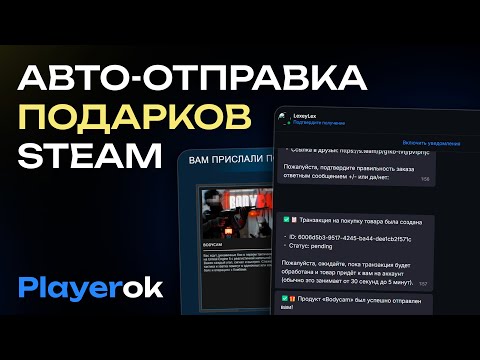
Demo
What's included?
- License
- Issued to your Telegram account
- Bound to your device
- Managed through our bot
- Plugin
- Download it in our bot
- All future updates included
- Tech support
- Help with installation
- Help with proper setup
Price: 4490 RUB / lifetime
To buy, contact — @friedfluoride
The license is lifetime only, there's no way to buy it for a limited time yet
License, refund and support terms are in the license agreement.
How to use
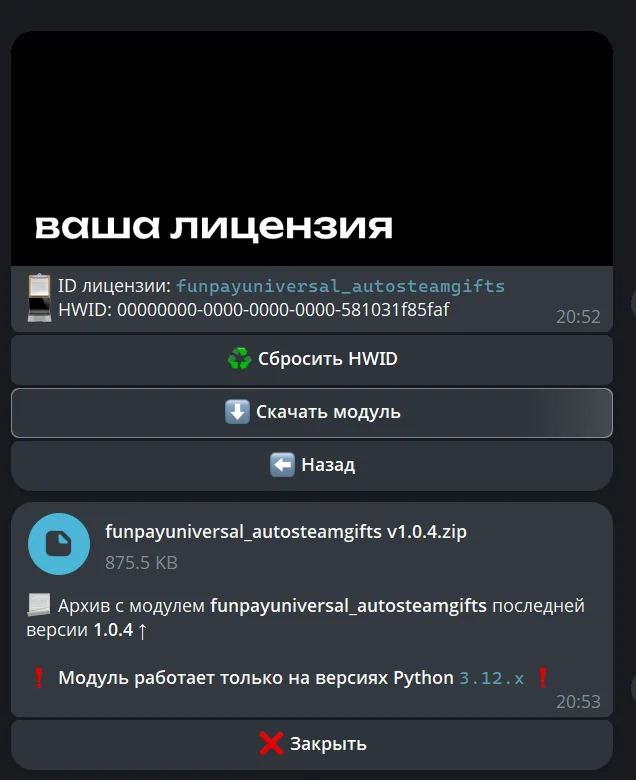
Once you've been issued a license, go to our bot @friedshopbot, send it the /start command, open «🔐 Мои лицензии» (My licenses) in the main menu and tap the license you bought.
The menu that opens lets you manage your license. To download the module, tap the corresponding button and the bot will send you an archive with the module inside as a folder.
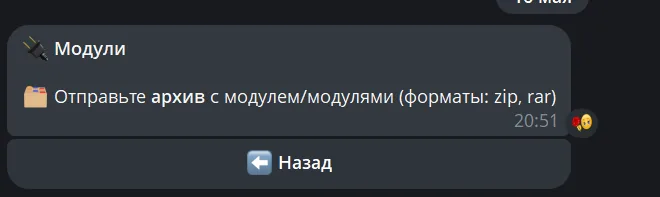
Download the Playerok Universal bot if you haven't yet, and run it. Open the main menu, go to «Модули» (Modules) and tap «Импортировать» (Import). Then send the downloaded archive to the bot.
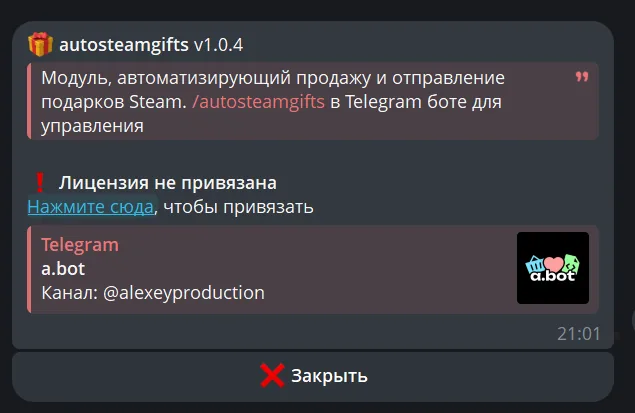
Once the module is imported, restart the bot with the /restart command. After the restart, the /autosteamgifts command will appear in the Telegram bot — it opens the plugin menu.
On the first launch you'll need to bind the license to your device. Open the plugin menu and follow the link shown there to do it.
Next, connect the service the plugin will buy gifts through. Until the details are filled in, the plugin reminds you about it every time you open the menu. Go to «💻 API сервиса» (Service API), choose «🔵 DesslyHub» or «🎁 NSGifts» and fill in the fields.
DesslyHub. API access has to be requested: once it's approved, you'll get an API key and an API secret — enter them in «🔑 API ключ» (API key) and «🔒 API secret». If logging in with these details fails, the bot will report an error — fill in the fields again.
NS Gifts. API access has to be requested, then fill in:
- «🔒 API secret» — issued once access is approved
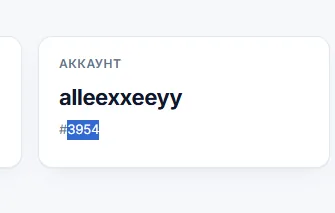
- «🆔 User ID» — the number after # on the account card in your dashboard
- «👤 Логин» (Login) and «🔑 Пароль» (Password) — for your NS Gifts account
Once all four fields are filled in, the bot checks the login to NS Gifts and tells you the reason if it fails. If the bot's IP isn't in your NS Gifts account whitelist, the bot will show this IP — add it to the whitelist in your NS Gifts dashboard. If the login still fails, check that the time on the device running the bot is correct.
Now create an item on Playerok for the gift and link it. Open «🎁 Услуги» (Services), tap «➕ Добавить» (Add) and send a link to the Playerok item, for example https://playerok.com/products/arc-raiders-podarkom. Several items — one link per line or as a .txt file.
Then enter the name of the Steam product: the bot will show similar ones from the service's catalog. Pick the right one, its edition and region, and confirm adding it. From then on, the plugin will send the gift whenever these items are bought.
In «🔔 Уведомления» (Notifications) you set up the price check — «🚪 Порог» (Threshold) in rubles and «🔕 Антиспам» (Anti-spam) — and the balance check. To get notifications about a low service balance, set «🏦 Порог» (Threshold) in USD: it's 0 by default, and the check doesn't run.
Refunds on errors, loss protection and buyer reminders are in «🔧 Прочее» (Other).