AutoBooster — Social media auto-boosting
AutoBooster — a module for Playerok Universal that automates selling SMM services: the buyer pays for an item and sends a link, and the plugin starts the boost on your SMM panel and tracks its progress by itself. Rich functionality, flexible and convenient setup through the Telegram menu.
How does it work?
- The buyer pays for an item linked to a service on a boosting panel
- The plugin posts the order details in the chat and asks for the link to boost
- The buyer checks the link and quantity, then confirms the order with +/-
- The plugin creates an order on the panel. If the item is linked to a service pack, it starts all of them on the same link
- It tracks the order status on the panel and messages the buyer when it changes. The buyer can check the status with !статус ID or request a warranty refill with !рефилл ID
- Boost done — the plugin marks the item as sent on Playerok, and the buyer gets a summary and a request to confirm the order
- The panel canceled the order — the plugin refunds it on Playerok by itself
What do you need?
- SMM panel with an API — you need the API link and API key of your account on the panel. Any panel with a standard SMM API will do
- Panel balance — orders are paid from it. Not enough money — the boost won't start, and you'll get a notification
- Items on Playerok — the plugin doesn't create items, it works with the ones already listed: they're linked by URL. On Playerok you can't buy several pieces of an item at once, so the boost quantity is set for the whole order: for an item «Telegram subscribers, 100 pcs.» enter 100
What won't the plugin do?
- It doesn't change item prices — it only compares them with the cost on the panel and sends a summary
- It doesn't take items off sale — even if a service disappeared from the panel or the balance ran out. The item stays active, the plugin only tells you about it in Telegram
Features
- 📈 Several SMM panels — each one gets its own items
- The API link and key are checked right when you add them
- Items are added by link, several at once: one link per line or a .txt file, up to 50 at a time
- When adding, the bot finds the service on the panel, shows its name and limits, and won't let you set a quantity outside them
- 📦 Service packs — up to 10 services per item
- All services in a pack start on the same buyer link
- Before starting, the plugin checks that all services exist on the panel, the quantity is within the limits and there's enough money on the balance
- Each service can have a name — the buyer sees it in order messages
- Only part of the pack started or the panel canceled one of the services — you and the buyer get notified. In this case the refund is done by hand
- 💸 Price check — compares the item price on Playerok with the cost on the panel
- An item sells at a loss or the margin is below the threshold — you get a summary in Telegram
- A service disappeared from the panel — that's in the summary too
- The cost takes «Цена за» (Price per) into account — the number of units the panel quotes the service price for
- Anti-spam — the same summary comes no more often than the set interval
- Check prices right away with the «💸 Проверить цены» (Check prices) button
- 📋 Order tracking
- The buyer gets a message every time the order status changes on the panel
- !статус ID — how much has been boosted and the current order status
- !рефилл ID — a warranty refill, if the panel provides one for this service
- Notifying buyers who got their boost but didn't confirm the order — on a schedule or with a button
- ↩️ Automatic refund
- Not a single service started — refund on Playerok, can be turned off
- The panel canceled the whole order — refund and a message to the buyer
- The panel's error is translated into Russian and sent to the buyer
- 🔔 Telegram notifications
- Panel balance below the threshold
- Not enough money for an order, or the order didn't start because of an error
- A pack started partially or the panel canceled one of its services
- Price summary
- 💬 Messages to the buyer
- 17 messages — for every order stage and commands
- Any of them can be edited or turned off
- 📊 Statistics
- For a day, a week, a month and all time
- Orders: total, completed, refunded, amount, profit
- Best-selling product for the period
Managing in Telegram
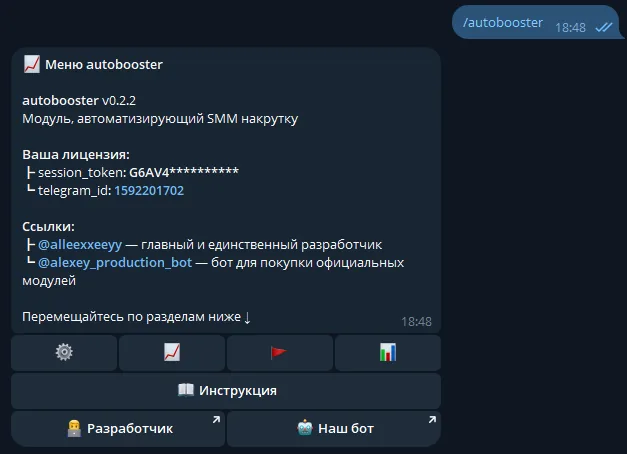
The plugin is fully managed through a dedicated, convenient menu in the TG bot. A full overview of all menu sections is in the YouTube video
The bot menu is in Russian. Button names in this guide are given as they appear in the bot, with a translation in brackets
Demo
What's included?
- License
- Issued to your Telegram account
- Bound to your device
- Managed through our bot
- Plugin
- Download it in our bot
- All future updates included
- Tech support
- Help with installation
- Help with proper setup
Price: 2490 RUB / lifetime
To buy, contact — @friedfluoride
The license is lifetime only, there's no way to buy it for a limited time yet
License, refund and support terms are in the license agreement.
How to use
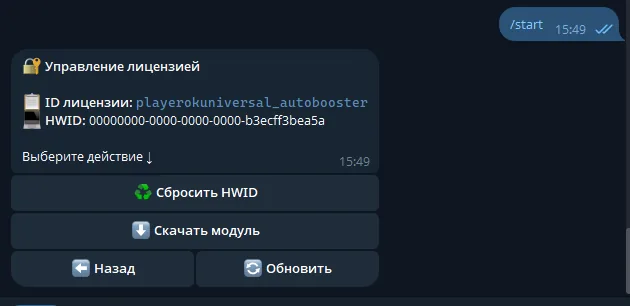
Once you've been issued a license, go to our bot @friedshopbot, send it the /start command, open «🔐 Мои лицензии» (My licenses) in the main menu and tap the license you bought.
The menu that opens lets you manage your license. To download the module, tap the corresponding button and the bot will send you an archive with the module inside as a folder.
Download the Playerok Universal bot if you haven't yet, and run it. Open the main menu, go to «Модули» (Modules) and tap «Импортировать» (Import). Then send the downloaded archive to the bot.
Once the module is imported, restart the bot with the /restart command. After the restart, the /autobooster command will appear in the Telegram bot — it opens the plugin menu.
On the first launch you'll need to bind the license to your device. Open the plugin menu and follow the link shown there to do it.
Next, to get started, add a boosting panel. Go to «📈 Сервисы» (Services — your SMM panels) → «➕ Добавить» (Add): the bot will ask for the API link and API key of your account on the SMM panel, check them and ask you to confirm.
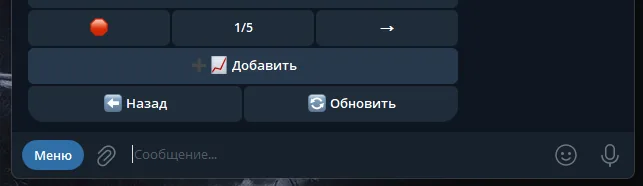
Now link items to the panel — in the plugin menu they're set up as products. Open the panel in «📈 Сервисы» (Services), tap «📝 Продукты» (Products) → «➕ Добавить» (Add) and fill in:
- Item link — for example,
https://playerok.com/products/telegram-podpischiki. Several items — one link per line or a .txt file - Service ID — you can find it on the service page on the SMM panel itself. On Twiboost, for example, it's in the top right corner
- Quantity — how much to boost per order. If the item is «Telegram subscribers, 100 pcs.», enter
100 -
Service name — the buyer will see it in order messages. Send
-to leave it without a name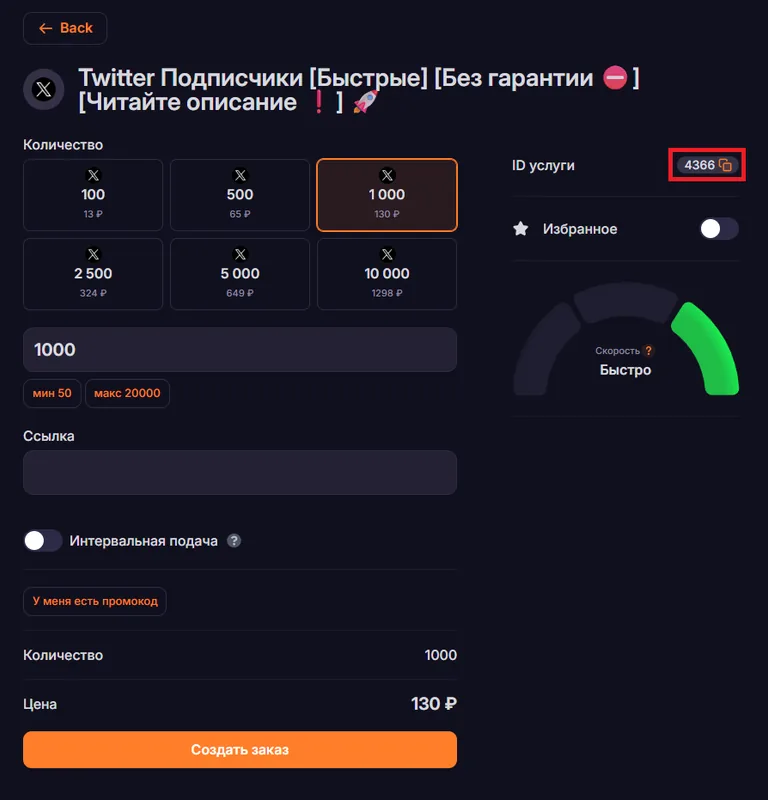
Once confirmed, the product is created with «Цена за» (Price per) set to 1000. If the panel quotes the service price for something other than 1000 units (for example, Discord boosts are priced per 1), change «💰 Цена за» (Price per) on the service page, otherwise the cost in the price check will be calculated wrong.
To make a pack, open the product and tap «➕ Добавить услугу» (Add service) — one product can have up to 10 services.
Price check thresholds are set in «🔔 Уведомления» (Notifications): the margin «🚪 Порог» (Threshold), 5 RUB by default, and the panel's «🏦 Порог баланса» (Balance threshold). The balance threshold is 0 by default — the low balance alert is off. The balance is checked together with prices, so the price check has to be on for this alert to work.