AutoRobux — Robux auto-delivery in Roblox (GamePass purchase)
AutoRobux — a module for FunPay Universal that automates Robux delivery in Roblox by buying the buyer's GamePass from your accounts. No access to the buyer's account — a GamePass ID is enough. Rich functionality, flexible and convenient setup through the Telegram menu.
How does it work?
- The buyer places an order in the Robux section with the «Game Pass» method
- The plugin writes in the chat how many Robux were bought and asks the buyer to create a GamePass for the right amount and send its ID. The plugin calculates the price by itself, taking the Roblox fee into account: for example, for 100 Robux — a GamePass for 143 Robux
- The buyer sends the ID, the plugin asks to confirm the order with +/- or да/нет (yes/no)
- The order joins the queue — the buyer sees their place in it
- When it's the order's turn, the plugin checks the GamePass price against the required one and buys it from one of your accounts
- The buyer gets a message about the successful purchase: the Robux will reach their account in 5 days, per Roblox rules
- The purchase failed — the buyer gets a message with the reason, and you get a notification in Telegram. If refund on error is on, the plugin issues the refund by itself
What do you need?
- Roblox accounts with a Robux balance — the plugin buys GamePasses from them. I recommend getting Robux for them in this bot at the best rate and with bonuses. Without added accounts, orders aren't processed
- An offer in the Robux section with the «Game Pass» method — the plugin sets the amount of Robux in it and turns the offer on or off by itself
- The buyer creates the GamePass — the plugin sends them the required price and a link to a guide on creating one
- Roblox Plus discount — if an account has Plus, set the discount on the account page. Otherwise the GamePass price won't match the expected one, and the plugin won't buy from that account
Features
- 🎟️ Buying the buyer's GamePass — the plugin calculates the required price by itself
- The buyer sends the GamePass ID and confirms the order. If they decline, the plugin asks for the ID again
- Before buying, the plugin checks the GamePass price against the required one (tolerance — 1 Robux): it won't buy a GamePass with a different price
- ⏳ Order queue — orders are processed one at a time, the buyer sees their place in the queue
- 👥 Several Roblox accounts
- The list shows the username and balance of every account
- A separate proxy for each account
- Roblox Plus discount (10% or 20%) — accounts with a bigger discount are used first
- Couldn't buy from one account — the plugin tries the next one
- 📦 Offer quantity is set automatically
- Quantity is how many Robux can be delivered from the combined balance of all accounts, taking the Roblox fee into account
- Updated roughly every minute and a half
- Out of Robux — the offer turns off, Robux are back — it turns on. You get a Telegram notification about it
- ↩️ Automatic refund — can be turned off
- Couldn't buy the GamePass — the plugin issues a refund on FunPay
- Turned off — if the GamePass price is wrong, the buyer can send another ID; you handle other errors by hand
- 🔔 Error notifications — you get the reason, the buyer's username, the Robux amount and the order link in Telegram
- 📢 Notifying buyers
- A reminder to buyers who received Robux but didn't confirm the order
- On a schedule — the interval is set in seconds, once a day by default
- Or by hand with the «🔔 Оповестить заказы» (Notify orders) button
- 💬 Messages to the buyer
- 9 messages — for every order stage and errors
- Any of them can be edited or turned off
- 📊 Statistics
- For a day, a week, a month and all time
- Orders: total, completed, refunded, amount, best-selling offer
Managing in Telegram
The plugin is fully managed through a dedicated, convenient menu in the TG bot. A full overview of all menu sections is in the YouTube video
The bot menu is in Russian. Button names in this guide are given as they appear in the bot, with a translation in brackets
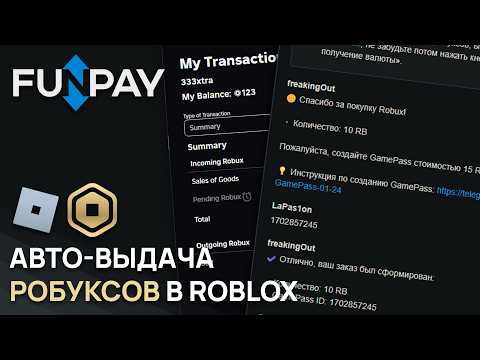
Demo
What's included?
- License
- Issued to your Telegram account
- Bound to your device
- Managed through our bot
- Plugin
- Download it in our bot
- All future updates included
- Tech support
- Help with installation
- Help with proper setup
Price: 3490 RUB / lifetime
To buy, contact — @friedfluoride
The license is lifetime only, there's no way to buy it for a limited time yet
License, refund and support terms are in the license agreement.
How to use
Once you've been issued a license, go to our bot @friedshopbot, send it the /start command, open «🔐 Мои лицензии» (My licenses) in the main menu and tap the license you bought.
The menu that opens lets you manage your license. To download the module, tap the corresponding button and the bot will send you an archive with the module inside as a folder.
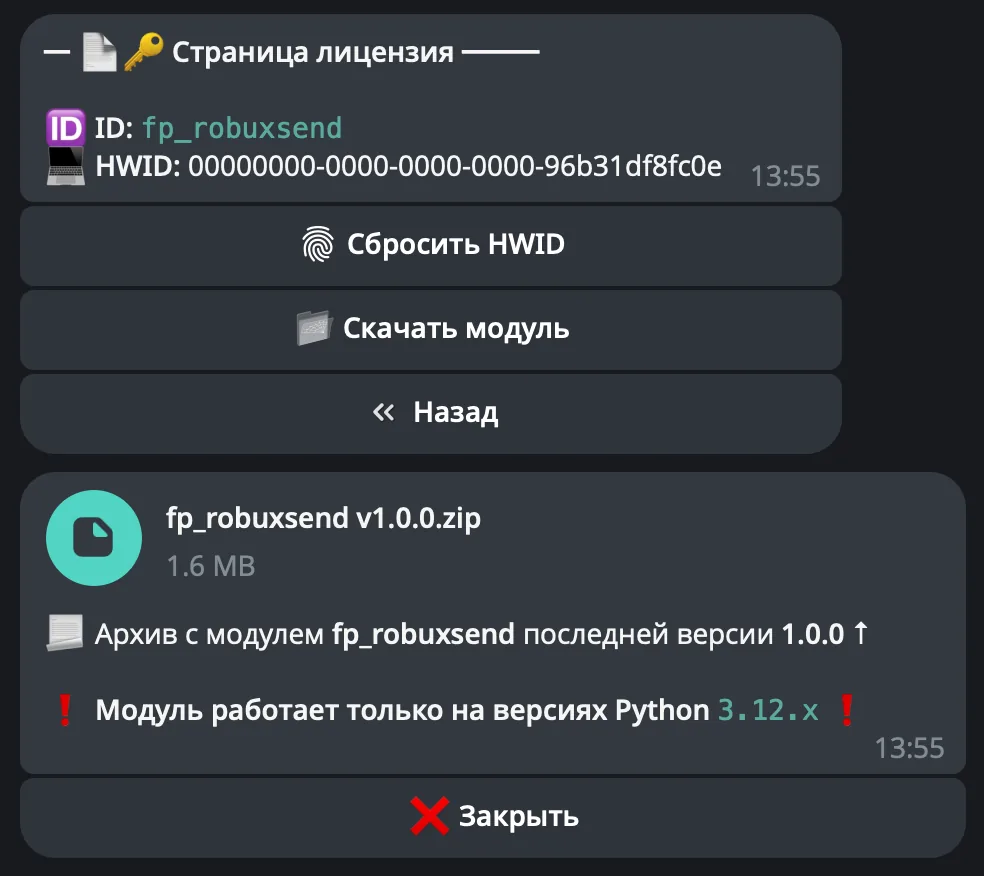
Download the FunPay Universal bot if you haven't yet, and run it. Open the main menu, go to «Модули» (Modules) and tap «Импортировать» (Import). Then send the downloaded archive to the bot.
Once the module is imported, restart the bot with the /restart command. After the restart, the /autorobux command will appear in the Telegram bot — it opens the plugin menu.
On the first launch you'll need to bind the license to your device. Open the plugin menu and follow the link shown there to do it.
Next, to get started, add the Roblox accounts GamePasses will be bought from. Go to «👤 Аккаунты» (Accounts) → «➕ Добавить» (Add): the bot will ask for the account's ROBLOSECURITY and a proxy (you can skip it with «🚫 Без прокси» (No proxy)), and then you just confirm adding the account.
How to get ROBLOSECURITY:
- Install the Cookie-Editor extension in your browser
- Log in to the account on roblox.com
- Open the extension, find the
.ROBLOSECURITYcookie and copy its whole value — including the_|WARNING:-DO-NOT-SHARE-THISpart at the start
Never share ROBLOSECURITY with anyone — it gives full access to the account. If the account list shows ❓ and ❌ instead of the username and balance, the cookie didn't work or has expired — replace it on the account page with the «🔑 RobloSecurity» button
On the account page you can set a proxy (IPv4, format user:pass@ip:port or ip:port) and the Roblox Plus discount with the «➕ Roblox Plus» button: 0 — no Plus, 10 — Plus, 20 — Plus from the 3rd month on. If the account has Plus, be sure to set the discount — otherwise the plugin won't buy GamePasses from this account. I recommend buying proxies at spaceproxy.net — the site only opens with a VPN on.
Now create an offer on FunPay: the Robux section, the «Game Pass» method, and set a price. The plugin will set the amount of Robux in the offer and turn it on by itself, based on the accounts' balance.
In «🔧 Прочее» (Other) you can turn off «↩️ Возврат при ошибке» (Refund on error), and in «🔔 Уведомления» (Notifications) you can set the interval for reminders about open orders. The default messages to the buyer include a link to a guide on creating a GamePass — you can replace it with your own in «💬 Сообщения» (Messages) if you like.