AutoPremium — Telegram Premium auto-delivery
AutoPremium — a module for FunPay Universal that automates Telegram Premium delivery through Fragment. The buyer only needs to send their @username — Premium arrives as a gift, paid in TON from your wallet. Rich functionality, flexible and convenient setup through the Telegram menu.
How does it work?
- The buyer pays for your offer in the Telegram Premium section
- The plugin messages them in the chat and asks for the @username to gift Premium to
- Once it has the username, the plugin asks to confirm the order with +/- or да/нет (yes/no). If the buyer declines, the username is asked for again
- The order joins the queue — the buyer sees their place in it
- The plugin finds the recipient on Fragment, checks that there's enough TON in the wallet and pays for Premium
- The buyer gets a message about the successful purchase with the transaction hash, the amount in TON and the date — and a request to confirm the order
- The purchase failed — the buyer gets the reason, you get a notification in Telegram, and the order is refunded automatically
What do you need?
- A TON wallet with a 12 or 24-word seed phrase, for example Tonkeeper — the plugin pays for Premium from it
- An account on fragment.com — with your Telegram account connected, a wallet linked (the «Link Wallet» button in your profile) and verification passed (available from age 18)
- A tonapi.io API key — the plugin uses it to check the wallet balance and send TON
- Offers in the Telegram Premium section for 3, 6 or 12 months with the «Подарком» (As a gift) or «Без захода на аккаунт» (Without logging in to the account) method — the plugin manages prices and statuses only for these offers
Features
- 🎁 Gift delivery by username — without logging in to the buyer's account
- The buyer sends their @username and confirms the order, so the recipient isn't mixed up
- Username not found, the recipient already has Premium or can't be gifted it right now — the buyer sees the reason
- Orders are processed one by one, the buyer sees their place in the queue. There's a 40-second pause between purchases so you don't hit Fragment's limits
- 💸 Prices at the Fragment rate — can be turned off
- The rate is calculated from recent Premium purchases on Fragment and converted to rubles at the Binance rate
- Offer price — the rate plus your markup in percent (5% by default)
- Updated at an interval (once an hour by default) or right away with the «💲 Изменить цены сейчас» (Change prices now) button
- Works together with AutoDumping: if it manages an offer's price, AutoPremium leaves the price alone and passes the cost price to it
- 🔃 Offers turn on and off by themselves — can be turned off
- Not enough TON for Premium of the required term — the offer turns off; enough — it turns back on
- You get a Telegram notification about each such change
- 💰 Balance control
- The wallet balance dropped below the threshold (5 TON by default) — you get a notification
- «💼 Мой кошелёк» (My wallet) — address and balance
- «⚡ Курс Premium» (Premium rate) — Fragment prices for 3, 6 and 12 months in TON and rubles, and how many purchases the balance is enough for
- ↩️ Automatic refund — can be turned off
- If Premium couldn't be bought for any reason — the order is refunded
- Refund turned off — the plugin waits for a username from the buyer again
- 🔔 Telegram notifications
- Premium couldn't be bought — with the reason and a link to the order
- Not enough TON for an order
- Fragment stopped accepting the data — most likely the cookies are outdated
- 📢 Notifying buyers who received Premium but didn't confirm the order
- On a schedule (once a day by default) or with the «🔔 Оповестить заказы» (Notify orders) button
- 💬 Messages to the buyer
- 8 messages — for every order stage, an error and a reminder
- Any of them can be edited or turned off
- 📊 Statistics
- For a day, a week, a month and all time
- Orders: total, completed, refunded, amount and the best-selling offer
Managing in Telegram
The plugin is fully managed through a dedicated, convenient menu in the TG bot. A full overview of all menu sections is in the YouTube video
The bot menu is in Russian. Button names in this guide are given as they appear in the bot, with a translation in brackets
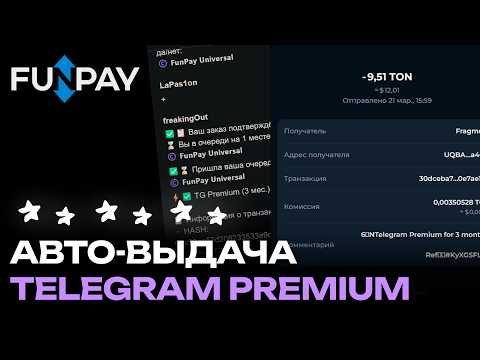
Demo
What's included?
- License
- Issued to your Telegram account
- Bound to your device
- Managed through our bot
- Plugin
- Download it in our bot
- All future updates included
- Tech support
- Help with installation
- Help with proper setup
Price: 2990 RUB / lifetime
To buy, contact — @friedfluoride
The license is lifetime only, there's no way to buy it for a limited time yet
License, refund and support terms are in the license agreement.
How to use
Once you've been issued a license, go to our bot @friedshopbot, send it the /start command, open «🔐 Мои лицензии» (My licenses) in the main menu and tap the license you bought.
The menu that opens lets you manage your license. To download the module, tap the corresponding button and the bot will send you an archive with the module inside as a folder.
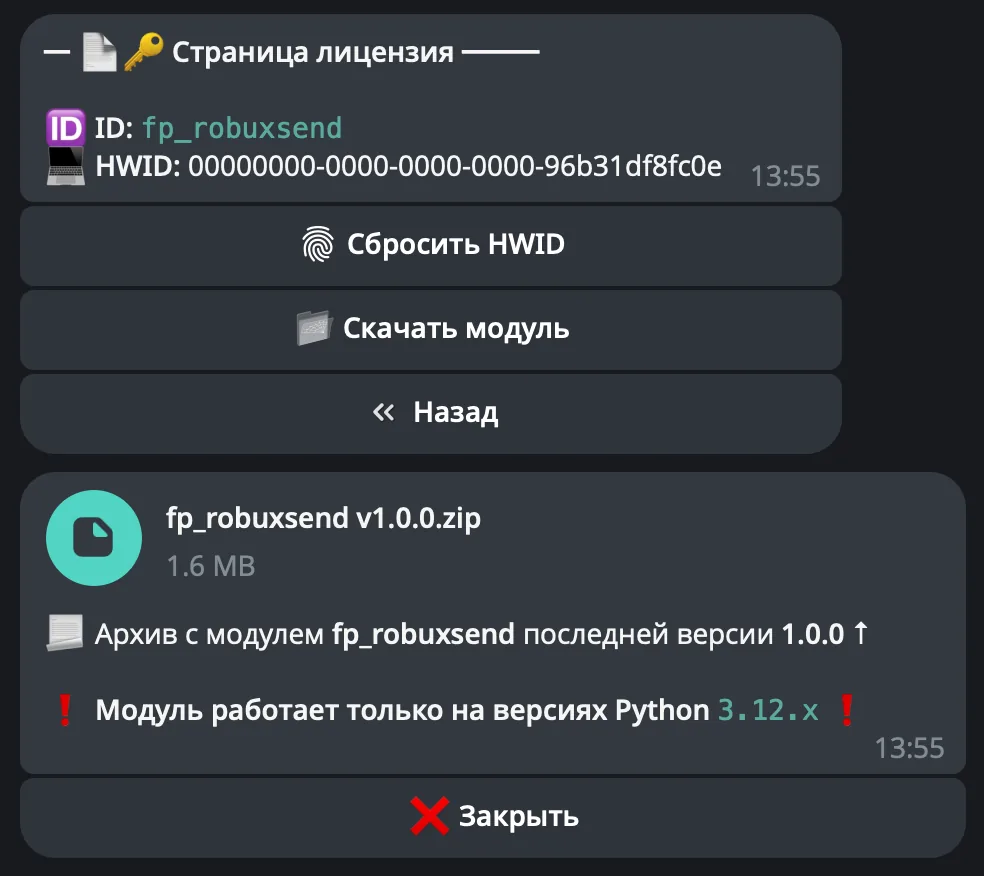
Download the FunPay Universal bot if you haven't yet, and run it. Open the main menu, go to «Модули» (Modules) and tap «Импортировать» (Import). Then send the downloaded archive to the bot.
Once the module is imported, restart the bot with the /restart command. After the restart, the /autopremium command will appear in the Telegram bot — it opens the plugin menu.
On the first launch you'll need to bind the license to your device. Open the plugin menu and follow the link shown there to do it.
Before setting up the plugin, prepare a wallet and a Fragment account:
- Create a Tonkeeper wallet — in the app, the Telegram mini app or the browser extension. Keep the 24-word seed phrase somewhere safe
- Top up the wallet with TON — for example, through @wallet, with the top-up button in Tonkeeper itself or on an exchange such as ByBit — that's the cheapest option: buy USDT for rubles, buy TON for USDT and transfer it to Tonkeeper. Buying on an exchange requires a verified account (passport verification, 18+) — ready-made verification can be bought on LolzMarket
- Sign up on fragment.com, connect your Telegram account and your Tonkeeper wallet, and pass verification (18+ — fragment.com verification can also be bought on LolzMarket)
Now open the plugin menu, go to «🔐 Кошелёк и API» (Wallet and API) and fill in all the fields. While something is missing, orders aren't processed, and when you open the menu the bot reminds you what still needs to be filled in.
Fragment Hash
- Log in to your account on fragment.com and open the stars purchase page
-
Open developer tools (F12), the «Network» tab and the «All» filter
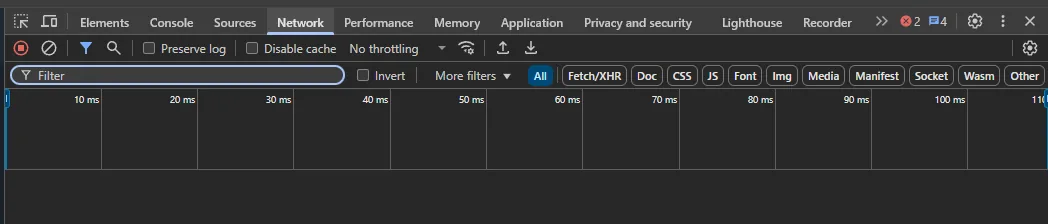
-
Wait a few seconds until
api?hash=...requests appear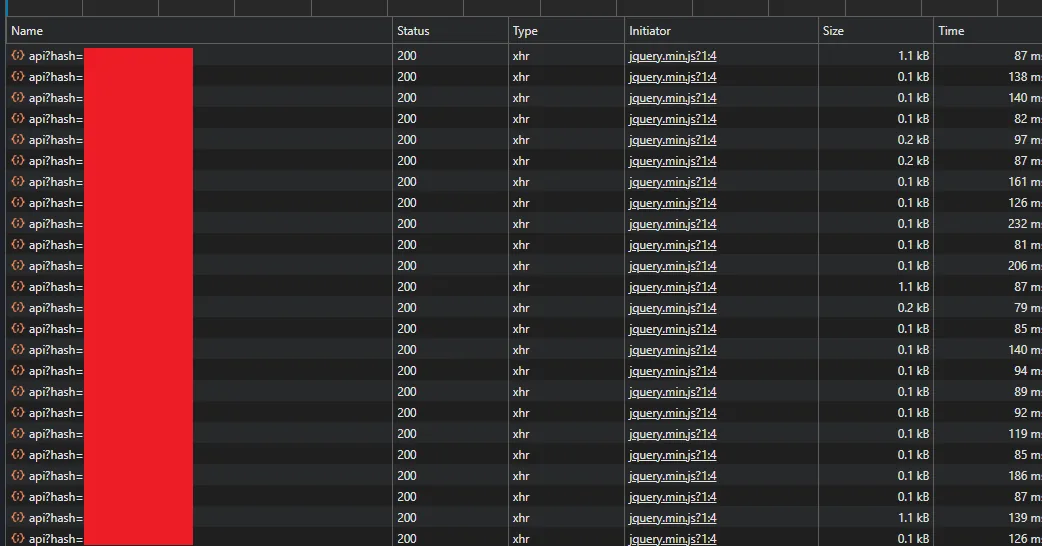
-
Click any of them and copy the
hashvalue — an 18-character string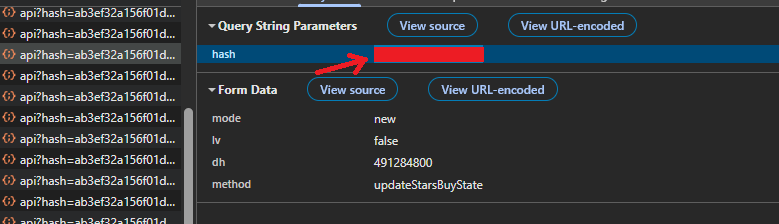
-
In the plugin menu, tap «📜 Hash» and send it to the bot
Fragment Cookies
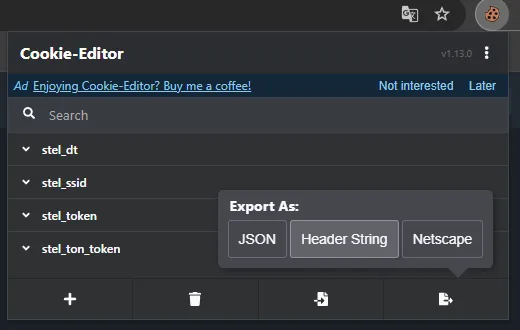
- Install the Cookie-Editor extension
-
Open fragment.com while logged in, click the extension → «Export» → «Header String» — the cookies will be copied in exactly this format
-
Tap «🍪 Cookies» and send the copied string. It must contain
stel_token,stel_dt,stel_ssidandstel_ton_token
TON API key
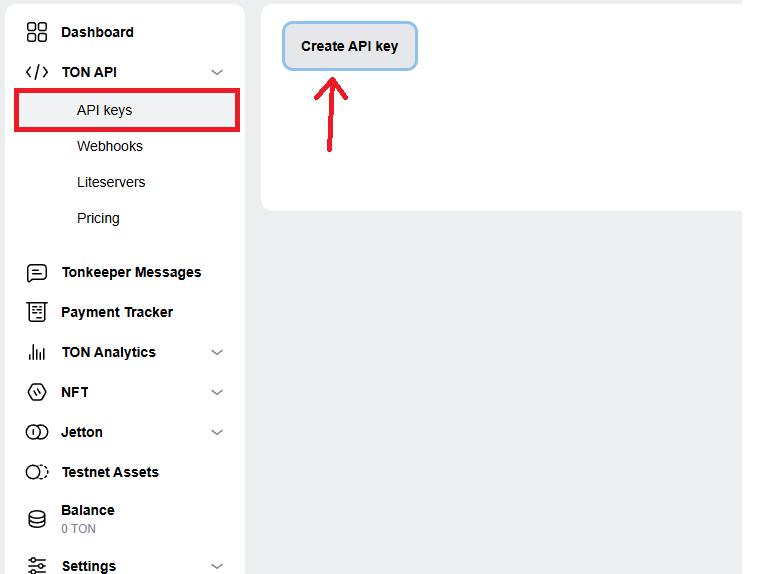
Go to tonapi.io, log in with Telegram and under «TON API» → «API keys» click «Create API key». If you're asked for an expiry period, choose no expiry. Copy the key, tap «🔑 API ключ» (API key) and send it to the bot.
Mnemonic phrase and wallet address
Tap «🪪 Мнемоническая фраза» (Mnemonic phrase) and send the wallet's seed phrase — 12 or 24 words separated by spaces (for example, planet star sky vehicle ...). Then tap «🏷️ Адрес кошелька» (Wallet address) and send your TON wallet address — the plugin uses it to find the right wallet.
Never share your seed phrase with anyone — it gives full access to the wallet
Every time you open the menu, the plugin checks that Fragment and the wallet accept the data. If they don't, the bot tells you and resets them — then fill them in again. Fragment cookies expire over time: if Fragment rejects them during a purchase, the plugin will send a notification — update them the same way.
All that's left is to list the offers. Create offers on FunPay in the Telegram Premium section for 3, 6 or 12 months with the «Подарком» (As a gift) or «Без захода на аккаунт» (Without logging in to the account) method. You don't need to connect them to the plugin — it finds all your offers in this section by itself, sets prices at the Fragment rate plus your markup and turns off the ones there isn't enough TON for. Set the markup and the price update interval in «💲 Цены и лоты» (Prices and offers) — you can also turn off price and status changes there if you'd rather manage the offers yourself.