AutoBooster — Social media auto-boosting
AutoBooster — a module for FunPay Universal that automates selling SMM services: the buyer pays for an offer and sends a link, and the plugin starts the boost on your SMM panel and tracks its progress by itself. Rich functionality, flexible and convenient setup through the Telegram menu.
How does it work?
- The buyer pays for an offer linked to a service on a boosting panel
- The plugin posts the order details in the chat and asks for the link to boost
- If the buyer has a bonus for a review, the plugin suggests applying it to get a bigger boost
- The buyer checks the link and quantity, then confirms the order with +/-
- The plugin creates an order on the panel, based on the quantity bought. If a service pack is linked to the offer, it starts all of them on the same link
- It tracks the order status on the panel and messages the buyer when it changes. The buyer can check the status with !статус ID or request a warranty refill with !рефилл ID
- Boost done — the buyer gets a summary and a request to confirm the order. If the panel canceled the order, the plugin refunds it on FunPay by itself
- For a 5-star review the buyer gets a bonus on their next order
What do you need?
- SMM panel with an API — you need the API link and API key of your account on the panel. Template offers are available for Twiboost and Vexboost, and your own offers can be linked to any panel with a standard SMM API
- Panel balance — orders are paid from it. Not enough money — the boost won't start, and you'll get a notification
- Offers on FunPay — your own or the plugin's template ones
Features
- 📈 Several SMM panels — each one gets its own offers
- The API link and key are checked right when you add them
- When you link an offer, the bot finds the service on the panel and shows its name and limits
- Quantity is set per 1 pc. of the offer: bought 5 pcs. — 5 times more gets boosted
- 📦 Service packs — up to 10 services in one offer
- All services in a pack start on the same buyer link
- Before starting, the plugin checks that all services exist on the panel, the quantity is within the limits and there's enough money on the balance
- Each service can have a name — the buyer sees it in order messages
- Only part of the pack started or the panel canceled one of the services — you and the buyer get notified. In this case the refund is done by hand
- ➕ Template offers — ready-made offers in your profile with one button
- Twiboost — 152 offers, Vexboost — 111 offers
- Telegram, YouTube, TikTok, Instagram, VK, Discord, Twitch and more
- Offers are linked to the panel's services right away
- Your offers in the same FunPay sections are deleted and replaced with the template ones
- 💸 Price changes — offer price = service price on the panel + your markup
- Markup percentage and update interval are configurable
- A pack's price is the sum of all its services
- The offer stock is set to 999999 pcs.
- Update prices right away with the «💸 Изменить цены» (Change prices) button
- If the offer price is managed by AutoDumping, the plugin leaves it alone and passes the cost price to it
- 🔃 Offer status changes
- A service disappears from the panel — the offer turns off, and you get a notification
- The panel balance drops below the threshold — offers turn off; top it up — they turn back on by themselves
- The plugin doesn't turn back on offers you turned off by hand
- 📋 Order tracking
- The buyer gets a message every time the order status changes on the panel
- !статус ID — how much has been boosted and the current order status
- !рефилл ID — a warranty refill, if the panel provides one for this service. Available for 30 days after the order
- Notifying buyers who got their boost but didn't confirm the order — on a schedule or with a button
- ↩️ Automatic refund
- Not a single service started — refund on FunPay, can be turned off
- The panel canceled the whole order — refund and a message to the buyer
- The panel's error is translated into Russian and sent to the buyer
- 🎁 Gift system — a bonus for a 5-star review
- On the next order the buyer gets N% more (10% by default)
- The buyer decides: apply the bonus now or save it for the next order
- A buyer gets the bonus only once — repeat reviews don't give new bonuses
- The buyer deleted the review without using the bonus — the bonus is canceled
- After the order is closed, the plugin reminds the buyer that a review comes with a gift
- 🔔 Telegram notifications
- Panel balance below the threshold
- Not enough money for an order, or the order didn't start because of an error
- A pack started partially or the panel canceled one of its services
- Offers turned off or back on by the plugin
- 💬 Messages to the buyer
- 24 messages — for every order stage, commands and bonuses
- Any of them can be edited or turned off
- 📊 Statistics
- For a day, a week, a month and all time
- Orders: total, completed, refunded, amount, profit
- Best-selling product for the period
Managing in Telegram
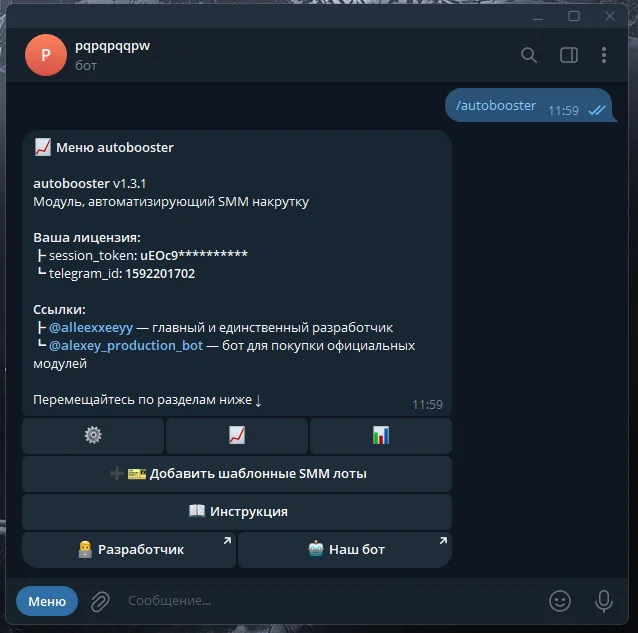
The plugin is fully managed through a dedicated, convenient menu in the TG bot. A full overview of all menu sections is in the YouTube video
The bot menu is in Russian. Button names in this guide are given as they appear in the bot, with a translation in brackets
Demo
What's included?
- License
- Issued to your Telegram account
- Bound to your device
- Managed through our bot
- Plugin
- Download it in our bot
- All future updates included
- Tech support
- Help with installation
- Help with proper setup
Price: 2490 RUB / lifetime
To buy, contact — @friedfluoride
The license is lifetime only, there's no way to buy it for a limited time yet
License, refund and support terms are in the license agreement.
How to use
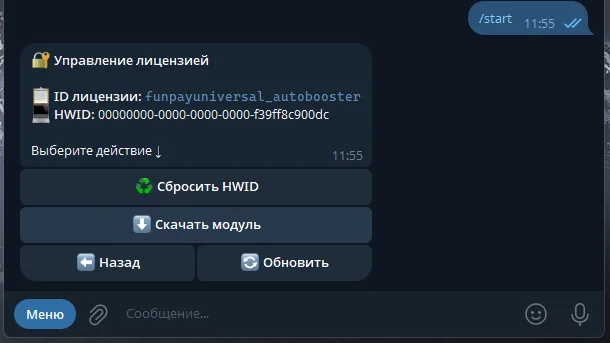
Once you've been issued a license, go to our bot @friedshopbot, send it the /start command, open «🔐 Мои лицензии» (My licenses) in the main menu and tap the license you bought.
The menu that opens lets you manage your license. To download the module, tap the corresponding button and the bot will send you an archive with the module inside as a folder.
Download the FunPay Universal bot if you haven't yet, and run it. Open the main menu, go to «Модули» (Modules) and tap «Импортировать» (Import). Then send the downloaded archive to the bot.
Once the module is imported, restart the bot with the /restart command. After the restart, the /autobooster command will appear in the Telegram bot — it opens the plugin menu.
On the first launch you'll need to bind the license to your device. Open the plugin menu and follow the link shown there to do it.
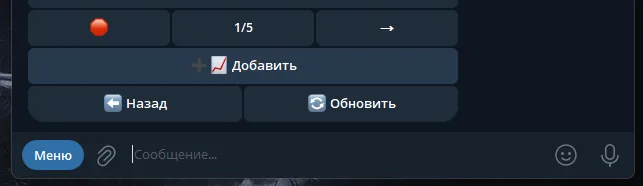
Next, to get started, add a boosting panel. Go to «📈 Сервисы» (Services — your SMM panels) → «➕ Добавить» (Add): the bot will ask for the API link and API key of your account on the SMM panel, check them and ask you to confirm.
Now link offers to the panel — template ones or your own.
Template offers. Warning: if you already have offers in the same FunPay sections as the template ones, the plugin will delete them and list the template offers instead.
In the plugin's main menu, tap «➕ Шаблонные лоты» (Template offers) and choose Twiboost or Vexboost. The plugin will list ready-made offers in your profile and link them to the panel's services right away. The panel has to be added in «📈 Сервисы» (Services) beforehand, and its API link has to contain twiboost or vexboost. You can follow the progress in the bot console.
Your own offers. Open the panel in «📈 Сервисы» (Services), tap «📝 Лоты» (Offers) → «➕ Добавить» (Add) and fill in:
- Offer link — for example,
https://funpay.com/lots/offer?id=50482006 - Service ID — you can find it on the service page on the SMM panel itself. On Twiboost, for example, it's in the top right corner
- Quantity per 1 pc. — how much to boost per 1 purchased piece of the offer. Offer «1000 followers» — enter
1000, offer «1 follower» —1 -
Service name — the buyer will see it in order messages. Send
-to leave it without a name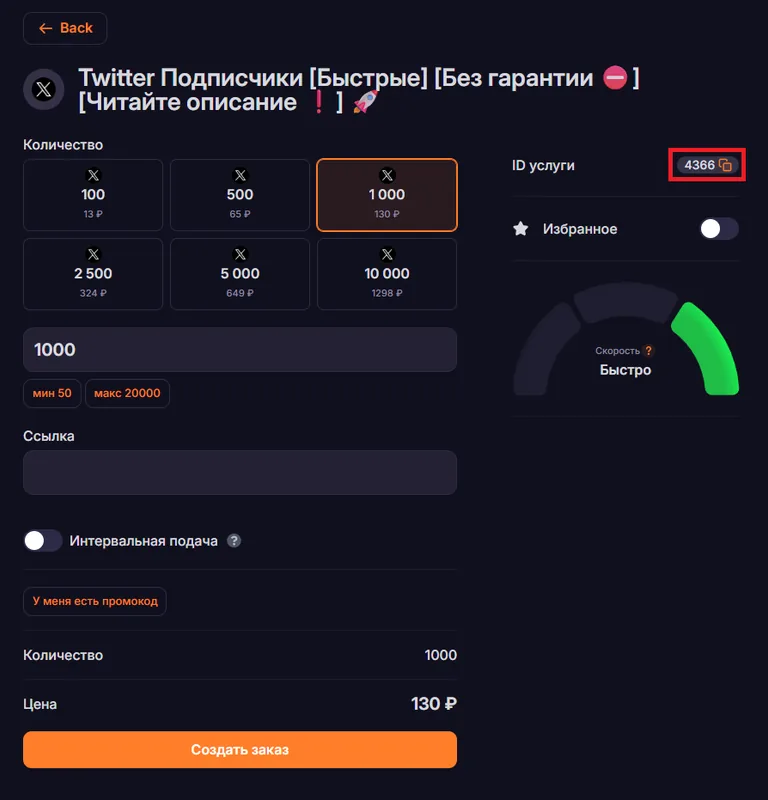
To make a pack, open the offer in the list and tap «➕ Добавить услугу» (Add service) — one offer can have up to 10 services.
The plugin sets offer prices by itself; the settings are in «💲 Цены и лоты» (Prices and offers). By default it's a 15% markup on the panel's price and an update once a day (86400 sec.). To update prices right away, tap «💸 Изменить цены» (Change prices). If you'd rather set prices yourself, turn price changes off.
In the same section, in the «🔃 Изменение статусов» (Status changes) block, you set the «📉 Порог деактивации» (Deactivation threshold), 50 RUB by default: if the panel balance drops below it, the plugin turns the offers off and turns them back on after you top up. The low balance alert is set up separately: «🔔 Уведомления» (Notifications) → «💲 Проверка баланса» (Balance check), with a 200 RUB threshold by default.
The gift system is set up in «🔧 Прочее» (Other). «📊 Процент докрутки» (Extra boost percentage) — how many percent the bonus adds to the order. If you change it, also edit the «🎁 Предложение бонуса» (Bonus suggestion) and «🎁 Бонус получен» (Bonus received) messages in «💬 Сообщения» (Messages) — 10% is written in them as plain text.