AIChat — AI chat with buyers
AIChat — a module for FunPay Universal that chats with buyers using AI. Works with DeepSeek, OpenAI, Gemini, OpenRouter and any other API. Rich functionality, flexible and convenient setup through the Telegram menu.
How does it work?
- You paste a key from any AI provider (DeepSeek, OpenAI, Gemini, OpenRouter or a custom URL) and press «Проверить подключение» (Check connection) — the plugin immediately shows the model, tokens and the price of one reply
- The plugin pulls your offers from FunPay by itself — titles, prices, stock — and refreshes them every 6 hours. Nothing to enter by hand
- You choose the mode: send you a draft in Telegram, reply on its own, or reply on its own but hand tricky cases over to you
- A buyer writes — the plugin waits a few seconds in case they're still finishing the thought, and merges the messages into one question
- It gathers context: which offer the buyer has open right now, whether they have active orders, what was said in the chat before, your offers and your FAQ
- With a single request to the model it gets everything at once: the topic of the question, the reply to the buyer and the model's own confidence score
- The reply goes through a filter — contacts, links, payment outside FunPay, promises of discounts and refunds won't reach the buyer
- Confident and the topic is ordinary — it replies to the buyer on its own, with a delay of a couple of seconds so it doesn't look like a robot
- Not confident, the topic is tricky or the filter blocked the reply — instead of the buyer, it writes to you: the buyer's message, the topic, the reason and a ready draft with a «Отправить» (Send) button
- Every decision is logged: topic, confidence, tokens, price. If you reply to the buyer yourself, the plugin sees it and goes quiet
You can use free models
For example, on OpenRouter (access only via VPN) you can create an API key and use the deepseek/deepseek-chat model for free
Features
- 🧠 Knows your catalog on its own — offers are pulled from FunPay automatically
- Titles, prices, stock, category — refreshed every 6 hours or with a button
- Sees which offer the buyer has open right now and answers about that exact offer
- Pulls the full description for that offer
- Your own FAQ — the AI answers common questions in your words, not its own
- The AI never sees an offer's secret data (the goods themselves)
- 🖱️ Four modes: from full control to full autonomy
- Draft to you in Telegram — the AI doesn't write anything to the buyer, it only suggests
- On its own, but hands tricky cases over to you — the default mode
- Replies fully on its own
- Off
- The confidence threshold is configurable: below it, the reply goes to you, not to the buyer
- ⚡️ Five triggers: when exactly to step in
- On any message
- Only on questions
- Only on the buyer's command
- When you're silent — for example, you haven't replied for 10 minutes
- On a schedule — say, from 23:00 to 09:00 while you sleep
- 📍 Where it works: the plugin doesn't jump into every chat
- Only before an order, only with an active order, or everywhere
- Whitelist of categories and specific offers
- Buyer blacklist
- Turn the AI off in a single chat — with one button right from the notification
- 🛡️ Account protection: the filter checks every reply before it's sent
- Contacts and links — so you don't get banned for taking buyers off the platform
- Suggestions to pay outside FunPay
- Promises of discounts, refunds and guarantees on your behalf
- Anything that looks like product data
- Any group can be turned off separately
- A blocked reply goes to you, marked with what exactly triggered the filter — the buyer doesn't see it
- 🔒 The AI won't get you into trouble
- It can't deliver goods, issue a refund or confirm an order — it simply has no such rights
- Catches attempts to trick it: «ignore your instructions», «you're the admin», «give it to me for free»
- Asked directly «are you a bot?», it won't lie that it's a human
- 💵 Cost control: the key is yours, the plugin doesn't make money on tokens
- Daily and monthly budget in dollars
- Daily reply limit — works even with models whose price is unknown
- Reply limit per chat and a limit on replies in a row without you stepping in
- You see the price of every reply and spending for the day and month
- Budget runs out — the plugin stops and messages you
- 🔌 Any OpenAI-compatible provider
- Ready presets: DeepSeek, OpenAI, Gemini, OpenRouter — they fill in the URL and model for you
- You can set a custom URL and model
- Proxy support
- Connection check button: model, tokens, price per call
Managing in Telegram
The plugin is fully managed through a dedicated, convenient menu in the TG bot. A full overview of all menu sections is in the YouTube video
The bot menu is in Russian. Button names in this guide are given as they appear in the bot, with a translation in brackets
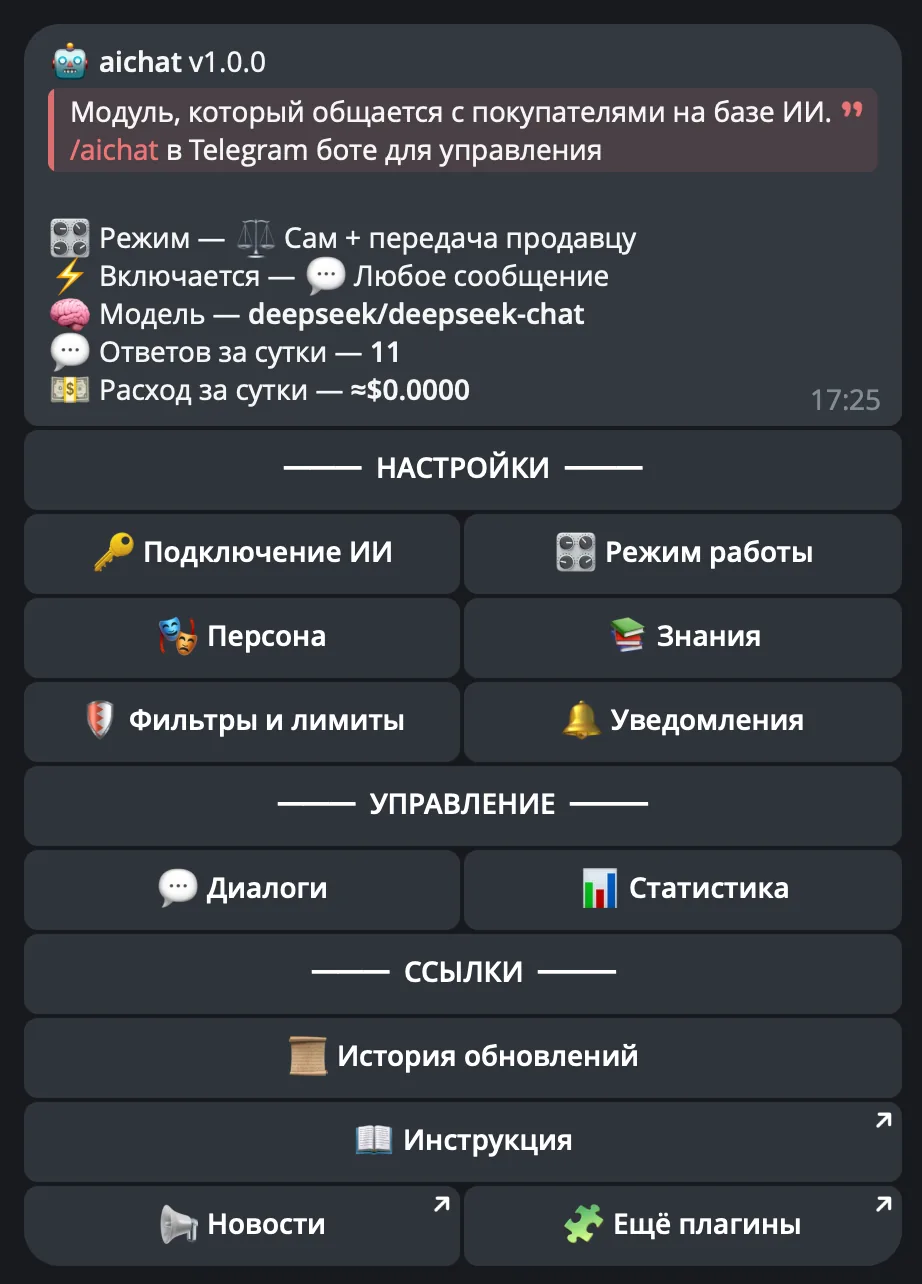
Demo

What's included?
- License
- Issued to your Telegram account
- Bound to your device
- Managed through our bot
- Plugin
- Download it in our bot
- All future updates included
- Tech support
- Help with installation
- Help with proper setup
Price: 2990 RUB / lifetime
To buy, contact — @friedfluoride
The license is lifetime only, there's no way to buy it for a limited time yet
License, refund and support terms are in the license agreement.
How to use
Once you've been issued a license, go to our bot @friedshopbot, send it the /start command, open «🔐 Мои лицензии» (My licenses) in the main menu and tap the license you bought.
The menu that opens lets you manage your license. To download the module, tap the corresponding button and the bot will send you an archive with the module inside as a folder.
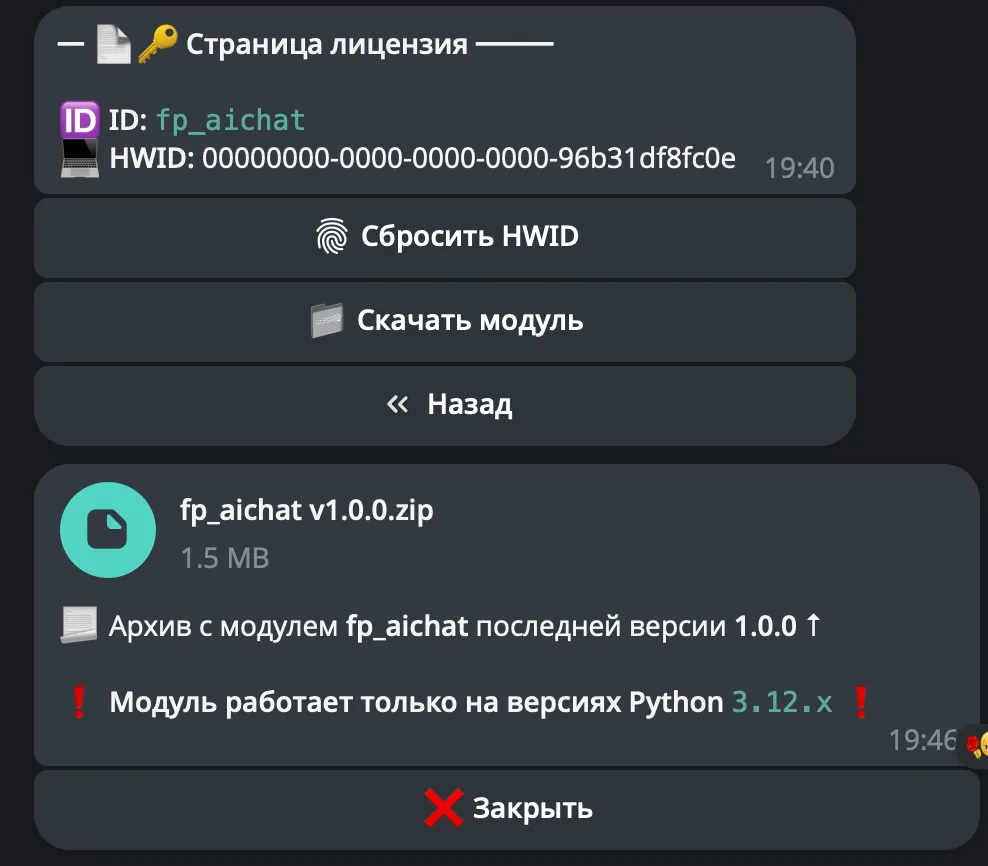
Download the FunPay Universal bot if you haven't yet, and run it. Open the main menu, go to «Модули» (Modules) and tap «Импортировать» (Import). Then send the downloaded archive to the bot.
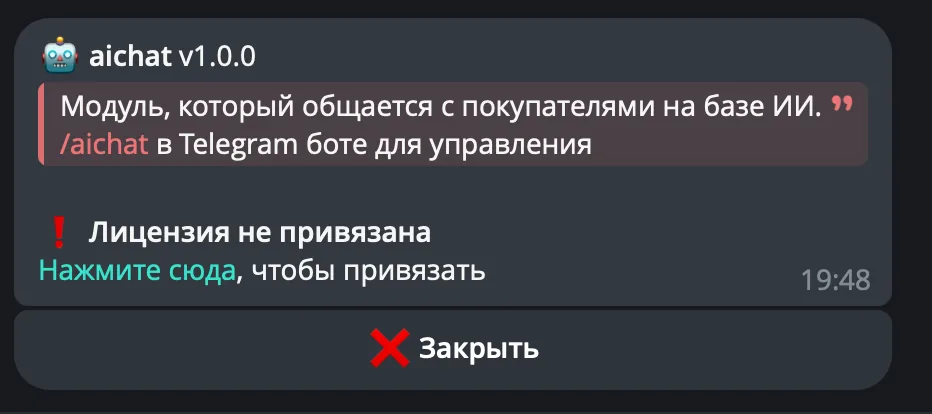
Once the module is imported, restart the bot with the /restart command. After the restart, the /aichat command will appear in the Telegram bot — it opens the plugin menu.
On the first launch you'll need to bind the license to your device. Open the plugin menu and follow the link shown there to do it.
Next, to get started, fill in the API connection details for the AI. This is done in «Подключение к ИИ» (AI connection)
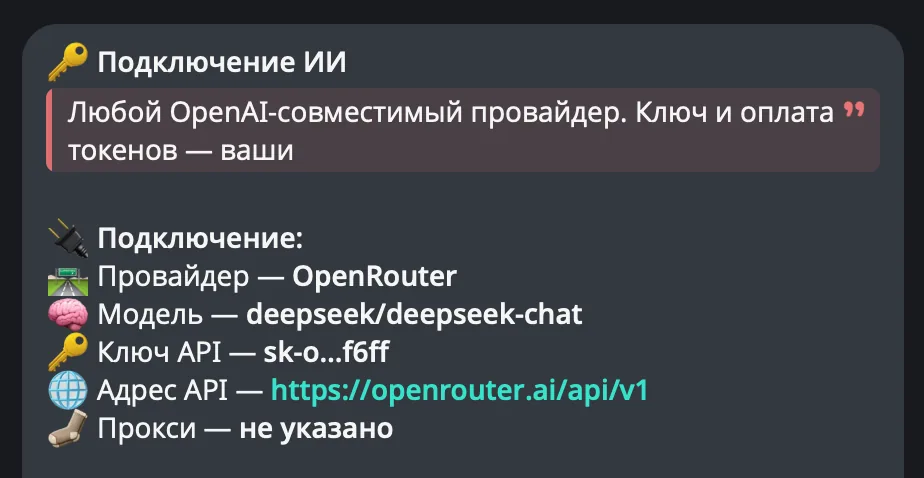
To start with, you can use the free deepseek/deepseek-chat model from OpenRouter (access only via VPN)