Common problems and fixes
This page collects the problems that come up most often when installing and running the FunPay Universal and Playerok Universal bots, and how to fix them.
Download the bots only from GitHub, from the repository's Releases section, and install them strictly following the README. If your problem isn't listed here, message @friedfluoride.
The .bat window only shows "Press any key to continue"#
When you run install.bat or start.bat, the window shows nothing but "Press any key to continue . . ." (on a Russian-language Windows it reads «Для продолжения нажмите любую клавишу»).
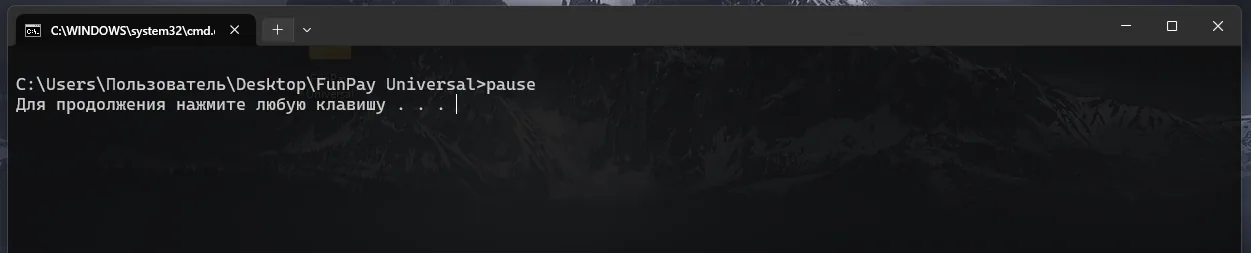
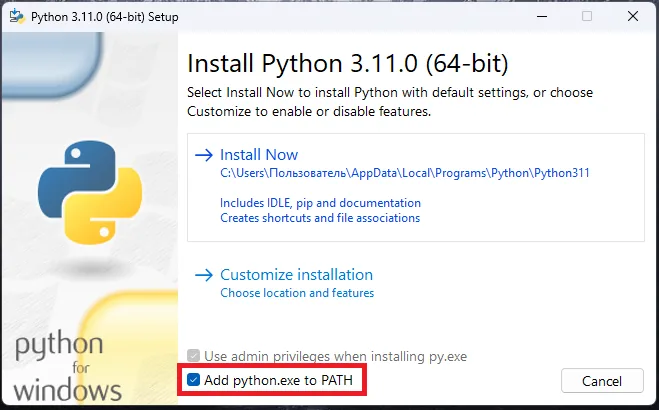
Python isn't installed, or the "Add python.exe to PATH" checkbox wasn't ticked during installation. Reinstall Python 3.12.x and make sure to tick this checkbox on the first screen of the installer. Then run install.bat again.
"Failed building wheel for aiohttp" or "No module named 'pkg_resources'"#
Installing the dependencies fails with "ERROR: Failed building wheel for aiohttp", and starting the bot fails with "ModuleNotFoundError: No module named 'pkg_resources'".
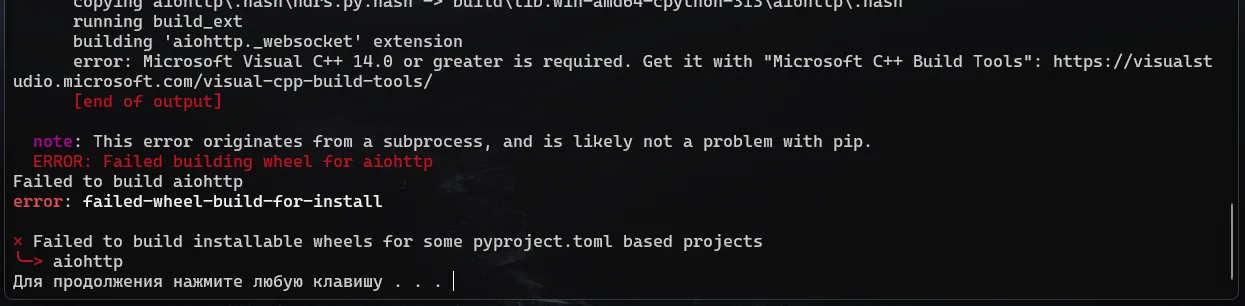


Your Python version isn't compatible — usually it's too new (3.13 or later). The bots run on Python 3.12.x.
-
Uninstall the current version: run its installer and choose "Uninstall"
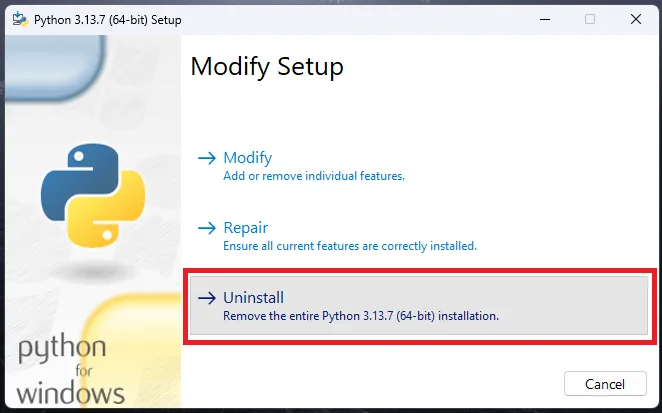
-
Download and install Python 3.12.10 — don't forget the "Add python.exe to PATH" checkbox
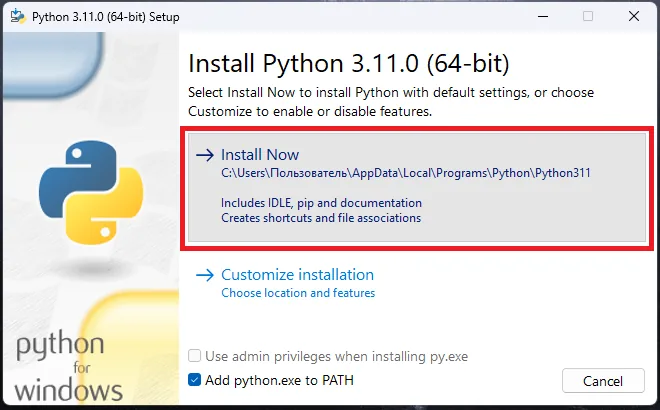
-
Run
install.batagain, thenstart.bat